Toyota vehicles come equipped with an open door alarm feature designed to enhance safety and security by alerting the driver when one or more doors are not fully closed.
This system emits a warning chime or beep, along with a dashboard indicator light, whenever the vehicle detects an open door while the ignition is on or during locking attempts. The purpose is to reduce risks such as accidental door openings during driving and to prevent leaving doors unlocked or ajar, which could lead to theft or injury.
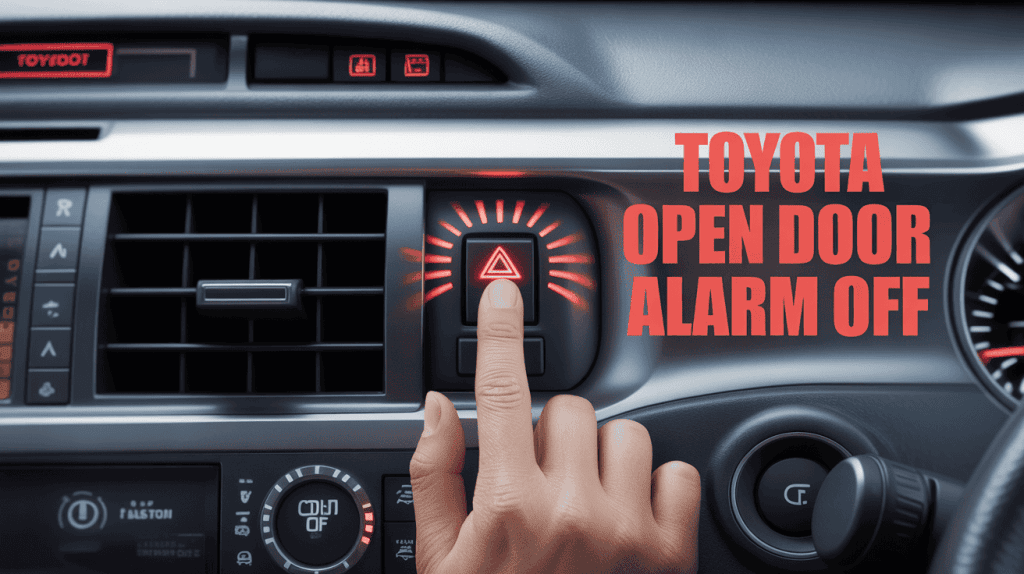
The open door alarm is part of Toyota’s comprehensive vehicle safety package and user convenience design, aimed at protecting occupants and vehicle integrity. While the alert is useful as a safety reminder, there are circumstances—such as loading bulky cargo or cleaning—when temporarily disabling or silencing the alarm is necessary. Understanding how to manage this alarm while preserving its core function is important for many Toyota owners.
This detailed guide explains how to turn off the open door alarm in Toyota vehicles, the importance of knowing when and how to turn it off, step-by-step access to door controls, using the infotainment system for adjustments, troubleshooting persistent alarm issues, and practical advice for everyday use. For model-specific nuances, consult Toyota’s official manuals or authorized dealer support to ensure safe and correct procedures.
How to Turn Off the Open Door Alarm on a Toyota
Turning off the open-door alarm in Toyota vehicles varies by model and year, but typically involves interacting with the door lock controls, key fob, or the vehicle’s settings menu.
The most common and straightforward method is to lock the vehicle properly: the alarm automatically silences once all doors are confirmed closed and locked via the key fob or the interior lock switch.
For temporary silencing without fully turning off the system, gently close all doors or use the lock button on the driver’s door to stop the alarm. Pressing the unlock button on the key fob, then locking the car again, ensures that all doors are detected as closed, resetting the alarm system.
In some newer Toyota models with advanced infotainment systems, owners can access the vehicle settings menu to disable or customize the open-door alarm sound via the touchscreen. This enables muting or deactivating the alarm for specific situations without affecting other vehicle security features.
If the alarm persists despite taking these steps, it may indicate a faulty door sensor or latch mechanism, which may require troubleshooting or a professional inspection. In rare cases, a system reset by cycling the power or disconnecting the battery for a few minutes can also rectify software glitches that cause false alarms.
For visual demonstrations and detailed instructions according to vehicle type, tutorials such as “Toyota Lock and Alarm Settings” on YouTube can provide helpful walkthroughs.
Importance of Knowing How to Disable the Alarm When Necessary
Preventing Unwanted Disturbance
Situations arise where continuous beeping from an open door alarm can be distracting or annoying—such as when loading heavy or awkward cargo, cleaning, or when children play around open doors. Knowing how to temporarily disable or quiet the alarm helps reduce stress and allows for more controlled vehicle access without permanently turning off essential safety functions.
Maintaining Vehicle Security Without Constant Alerts
While the alarm is crucial, it is equally important that drivers retain control over when to silence it, especially during short-term use cases. Properly turning off the alarm ensures that users do not resort to ignoring or turning off other security systems out of frustration.
Understanding how to disable correctly saves energy, preserves system longevity, and prevents unintended disarming of other safety features.
This knowledge empowers Toyota owners to balance convenience and safety effectively, ensuring that the alarm feature enhances the driving experience rather than hindering it.
Step-by-Step Instructions to Access the Driver’s Side Door Controls
| Step No. | Action | Description | Tools Needed | Common Mistakes | Best Practices |
|---|---|---|---|---|---|
| 1 | Enter the vehicle and sit in the driver’s seat | Position yourself to reach the door and dashboard controls easily | None | Attempting to adjust while outside the vehicle | Always access controls seated inside for accuracy |
| 2 | Locate the driver’s door control panel | This is commonly found on the armrest or near the window controls | None | Confusing panels or trying the front passenger controls | Familiarize yourself with the panel layout from the manual |
| 3 | Identify door lock/unlock switches | Look for buttons/icons representing door lock and unlock functions | None | Pressing incorrect buttons under stress | Use labels/icons carefully; confirm action before pressing |
| 4 | Find the manual door lock knob or switch | Some models have a physical locking knob on the door panel for direct locking | None | Overlooking manual locking options | Check the door edge or near the handle for manual controls |
| 5 | Access vehicle settings via the infotainment screen | If equipped, use the touchscreen to navigate to the “Settings” or “Vehicle” menu | Infotainment system | Getting lost in multiple menu options | Follow user manual prompts; use voice guidance if available |
| 6 | Navigate to “Door Lock” or “Alarm” Section | Select the submenu relating to locks and alarms | Infotainment system | Skipping menus or exiting prematurely | Take time to explore menu items fully |
| 7 | Review options for alarm control | Look for settings related to open door alarms, chimes, or beep volume | Infotainment system | Confusing door alarm with other alerts (seatbelt, etc.) | Read descriptions thoroughly; consult the manual if unsure |
| 8 | Adjust settings as desired | Toggle the alarm on/off or mute the beep sound to customize alert behavior | Infotainment system | Forgetting to save changes before exiting | Confirm changes by checking status indicators |
| 9 | Test door alarm functionality | Close and open each door to confirm alarm settings work as expected | None | Skipping the testing step | Ensure every door sensor is accounted for |
| 10 | Exit controls | Exit the menu correctly to avoid changes not saving | None | Exiting too quickly, losing settings | Wait for confirmation or explicit “Save.” |
This detailed table guides users through accessing and managing the driver-side door controls and infotainment system for alarm settings. Following these steps helps avoid errors and ensures a smooth user experience in controlling the open door alarm.
How to Lock the Doors Using the Key Fob or Door Lock Switch
Properly locking the doors with the key fob or door lock switch is fundamental to resetting and silencing the open-door alarm in Toyota vehicles.
Using the Key Fob: Press the lock button once to lock all doors. The vehicle will typically flash the hazard lights and emit a beep confirming successful locking. If any door is open or ajar, the alarm will continue to sound until all doors are fully closed and locked.
Using the Door Lock Switch: Inside the vehicle, on the driver’s door panel, press the lock switch to secure all doors. This action also signals to the alarm system that the doors are properly locked, silencing any ongoing open-door warnings.
Some Toyota models have “auto-lock” features that automatically lock the doors when the vehicle is shifted into gear or reaches a certain speed, and also reset the alarm system.
Proper locking procedures not only secure the vehicle but also reset the open-door alarm, preventing false alarms and ensuring peace of mind.
Explaining How Closing the Doors Properly Can Reset the Alarm
The open-door alarm is directly linked to sensors embedded in the door latches or jambs that detect whether the doors are fully closed. When a door remains ajar, the sensor completes a circuit, triggering the alarm and warning light.
Closing all doors firmly until they latch properly breaks this circuit, automatically turning off the open door alarm. The system continuously monitors door status so that any subsequent opening will reactivate the alert.
If the alarm persists, it may be due to:
1. Doors not being fully latched despite appearing closed.
2. Sensors malfunctioning or dirty contacts.
3. Mechanical issues with door alignment or latch mechanisms.
Properly shutting doors and confirming they are securely latched is the most straightforward way to reset and silence the alarm without manual intervention.
Using the Vehicle’s Settings Menu via the Infotainment System to Disable the Feature
Many modern Toyota vehicles offer the convenience of controlling the open-door alarm through the infotainment system settings. This method allows users to customize or turn off the alarm without physically interacting with each door lock.
To turn off the feature:
1. Access the infotainment touchscreen and enter the “Settings” menu.
2. Navigate to “Vehicle” or “Door Lock” related submenus.
3. Look for options such as “Door Open Alarm,” “Open Door Warning,” or “Door Chime.”
4. Toggle the setting to “Off” or “Mute” to turn off the alarm sound.
5. Save and exit the menu.
This interface provides flexibility to customize the alarm for particular driving conditions or personal preferences.
Note that deactivating the alarm through this method is generally reversible and does not affect the vehicle’s security system. Always consult the user manual or on-screen prompts to confirm action success.
Demonstrating the Procedure with a Specific Toyota Model Example
For instance, in the Toyota Camry:
1. Turn on the infotainment system.
2. Tap the “Setup” icon on the home screen.
3. Scroll to and select “Vehicle.”
4. Choose “Door/Lock Settings.”
5. Find “Door Open Warning” and toggle it off.
6. Exit menus to save settings automatically.
After this, the open door alarm will no longer sound even if a door remains open for an extended period, though visual indicators may continue to appear.
This model-specific example illustrates the process, which can vary slightly depending on vehicle year and trim, but generally follows a similar menu structure across Toyota’s lineup.
Common Troubleshooting Tips for Persistent Open Door Alarms
Check All Doors: Ensure every door, including the rear hatch or trunk, is fully closed and aligned straight.
Inspect Door Sensors: Clean door latch areas of dirt or debris, which might cause false sensor triggering.
Examine Door Alignment: Misaligned doors can prevent latches from engaging properly, keeping sensors active.
Reset Vehicle System: Turn off the ignition, open and close all doors, then restart the vehicle to reset control modules.
Check for Fault Codes: Use a diagnostic scanner to identify potential sensor faults or electrical issues.
Consult Dealership: Persistent alarms may indicate a hardware failure that requires professional repair or sensor replacement.
Taking these troubleshooting steps can resolve most alarm issues without extensive repair work.
(FAQs)
Q1: Can I permanently turn off the open door alarm in my Toyota?
A: Most Toyota models allow temporary disabling through settings, but permanent deactivation is generally not recommended for safety reasons.
Q2: Why does the alarm sound even though all doors are closed?
A: This often indicates a door sensor malfunction, misaligned door latches, or debris obstructing full closure.
Q3: How do I silence the alarm immediately if it sounds?
A: Locking and unlocking the doors via the key fob or pressing the interior lock switch usually silences the alarm.
Q4: Does the open door alarm work while driving?
A: Yes, it provides alerts if a door is not fully secured during vehicle operation for occupant safety.
Q5: Can I adjust the volume or tone of the alarm?
A: Some Toyota models with advanced infotainment systems allow customizing or muting the alarm sound.
Conclusion
The open door alarm feature in Toyota vehicles plays a vital role in ensuring safety, security, and peace of mind by alerting drivers to improperly closed doors. Knowing how to turn off or temporarily disable this alarm when necessary—whether through manual door controls, the key fob, or the vehicle’s infotainment system—empowers owners to manage alerts efficiently without compromising vehicle security.
Understanding the importance of proper door closure for resetting the alarm, navigating driver-side door controls, and troubleshooting persistent alarms helps maintain the system’s reliability and functionality. This guide provides comprehensive, stepwise instructions and practical tips to optimize your experience with Toyota’s door alarm feature.
For precise procedures tailored to your model and year, consulting Toyota’s official manuals or visiting a dealership service center remains recommended. Proper use and occasional system maintenance ensure your vehicle’s alarm features continue contributing to safe and secure driving for years to come.
#ToyotaAlarm #OpenDoorAlarm #CarSafety #VehicleSecurity #ToyotaTips #CarAlarmDisable #ToyotaVehicle #DrivingSafety #InfotainmentSettings #CarMaintenance